
← DTRACK4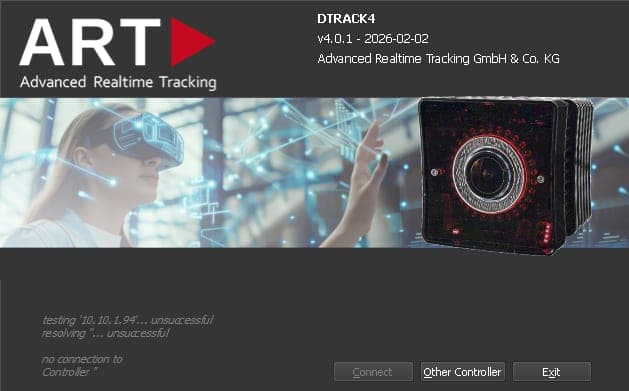
DTRACK4 features
Setup, calibration, camera control, interaction devices, configurations, and real-time data output in DTRACK4.
DTRACK4 is ART's current tracking software for Windows — without a dedicated ART Controller. It combines proven workflows with a modern 3D monitor, flexible configurations, and direct integration into your applications.
Relevant passages in the DTRACK4 manuals are linked directly below (PDF opens in a new tab).
System requirements
- Windows 10 or 11 on your tracking PC (Installation Guide, p. 26)
- 2× Gigabit Ethernet — two 1 Gbit ports (User's Guide, p. 30)
- Jumbo frames up to 9 KB on the network adapter (User's Guide, p. 30)
Cameras & tracking hardware
Supported
- AT7-50, ARTTRACK6/M, and AT7-80 tracking cameras (Installation Guide, p. 24)
- ARTTRACK5(/C) systems when at least one supported camera (ARTTRACK6/M, AT7-50, or AT7-80) is part of the setup
- No software limit on the number of cameras in one system (User's Guide, p. 71)
- No software limit on the number of s in one system
- Synchronization between cameras for a common capture time (User's Guide, p. 81)
Not supported
- ARTTRACK1/2/3, TRACKPACK(/E), Firewire cameras, and legacy ART Controllers (SyncCard3)
- Standalone SMARTTRACK/3/M — still supported in the DTRACK3 software line
- Inertial sensors (YEI, Trivisio, and similar)
Details on licensing and migration from older systems are on the licensing page.
Calibration & tracking volume
Room & coordinate systems
defines the shared coordinate system within the .
- Room calibration with angle tools of different sizes
- Multiple coordinate systems per configuration
- Room adjustment in the 3D monitor — refine the coordinate system after calibration
- Transfer a room calibration to another configuration
Camera setup
- Up to three sync groups — cameras in different groups do not interfere with each other
- Exclusion zones per camera — for example to mask sun reflections
- Camera modes for a higher maximum frame rate with a reduced vertical field of view
- Automatic exposure control across all cameras (exposure time and flash length optimized together)
- Manual exposure settings per camera when needed
Bodies, markers & targets
- Body administration with the integrated ART target library — standard ART targets do not need separate calibration (Target Library, p. 100)
- Adjust the body coordinate system in the administration tool or in the 3D monitor (Programmer's Guide, p. 10)
- 3D marker calculation can be enabled or disabled as required
- Retroreflection: How passive spherical markers send IR light back to the camera — blog article
Interaction devices
- Flystick2+ with integrated radio link (Programmer's Guide, p. 17)
- Finger tracking 2 including tactile variant (radio link) (Tactile control, p. 134)
- Measurement Tool with COOTRANS — align the ART coordinate system to an external reference and measure points with export (reference points, p. 95)
- Active targets such as AMC6 via modulated flash synchronization (Installation Guide, p. 60)
Configurations & day-to-day operation
- Multiple configurations on one system — for example different applications, target sets, or coordinate systems
- Password protection for saved configurations
- Display brightness on cameras adjustable — status LEDs, rings, and 7-segment displays, down to full deactivation for dark environments
Data output & integration
- 6DOF tracking data via ART's UDP data stream
- Multicast and multiple output channels for parallel consumers (Programmer's Guide, p. 21)
- Direct use in Autodesk VRED, Unity, and Unreal Engine, or custom applications via the C++ and Java SDK (interfaces overview, p. 155)
See the interfaces section for plugins, SDK downloads, and connectivity documentation.
Documentation & quick guides
- DTRACK4 multi-camera quick guide
- Installation guide
- User's guide
- Programmer's guide
- All manuals and quick guides in the resources section
Deployment options
- Separate backend and frontend — the tracking backend can run headless as a Windows service on a dedicated PC while operators use the GUI on another machine (Backend Service PC, p. 155)